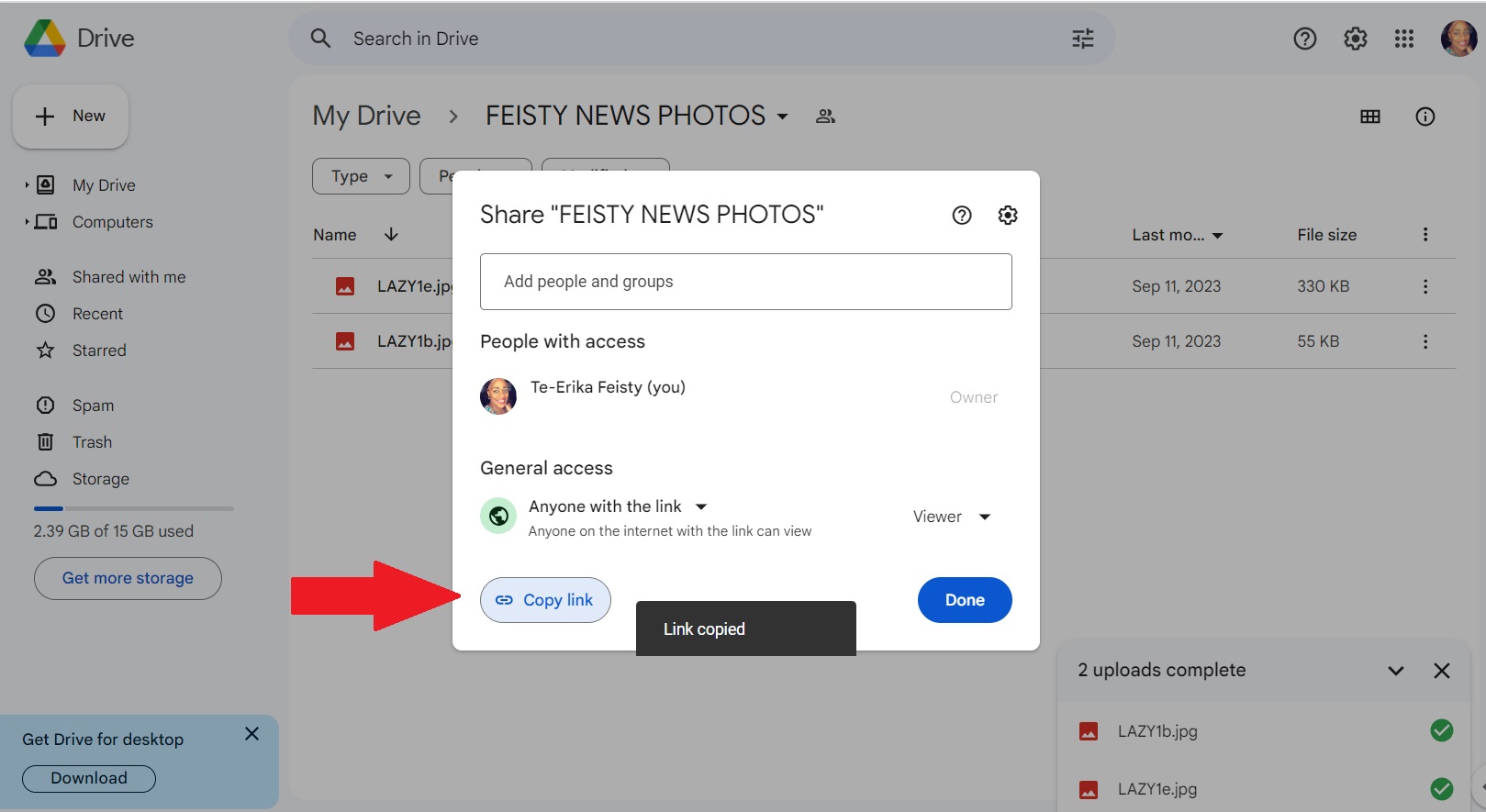

Here are the steps for how to create and share a google drive folder with The FEISTY NEWS.
Step 1 – Create new folder
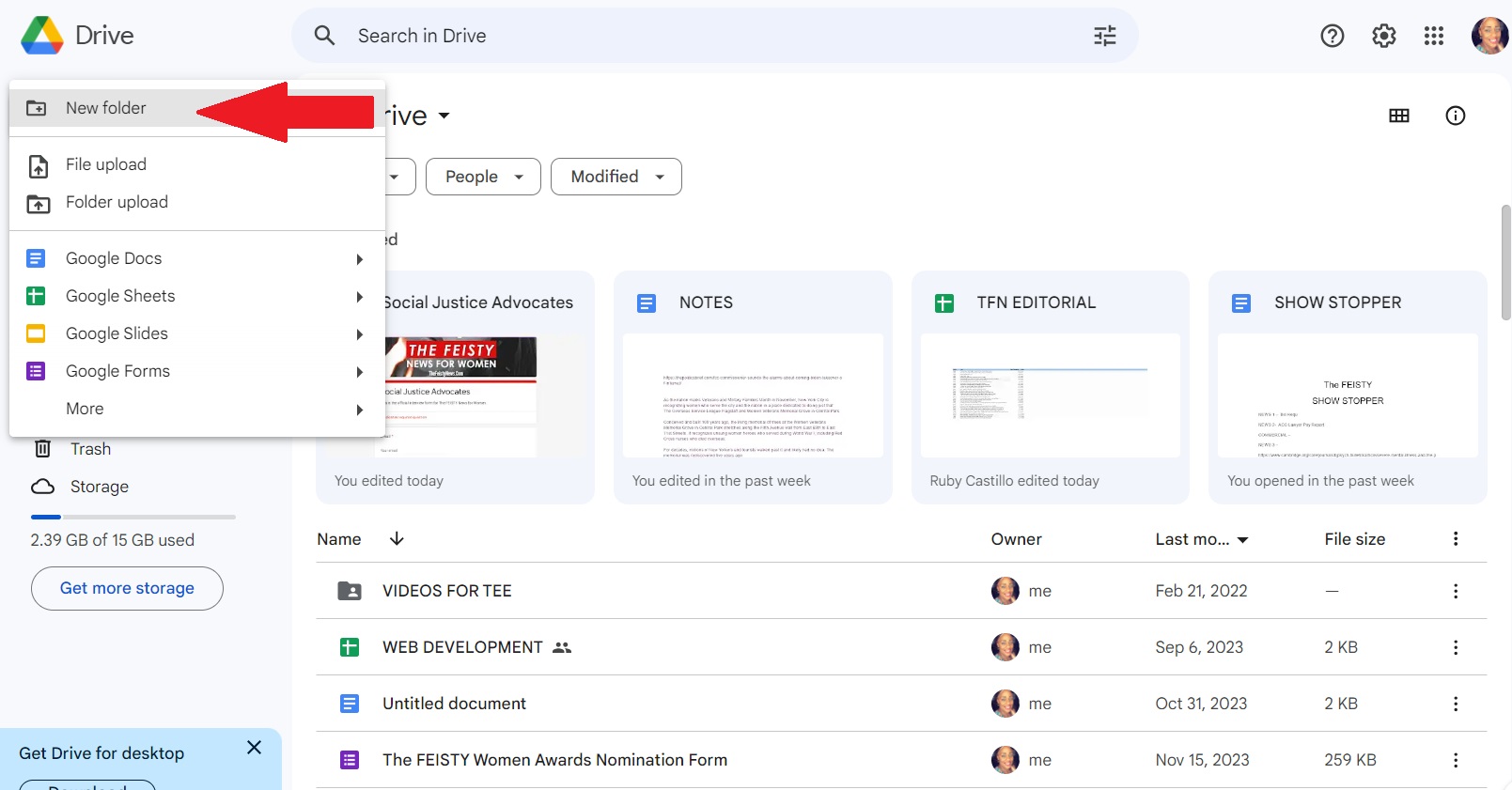
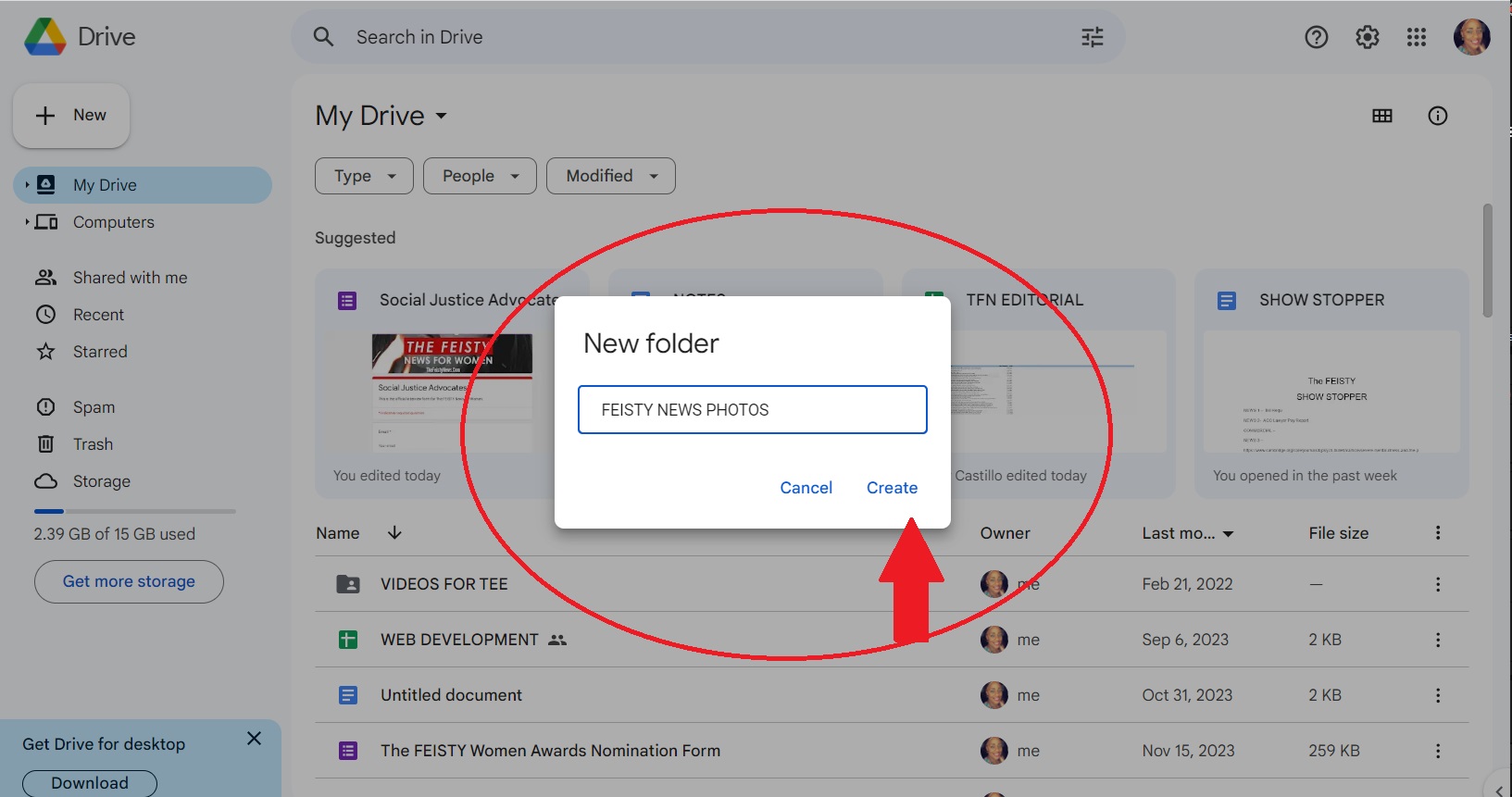
Step 2 – Name the folder FEISTY NEWS PHOTOS
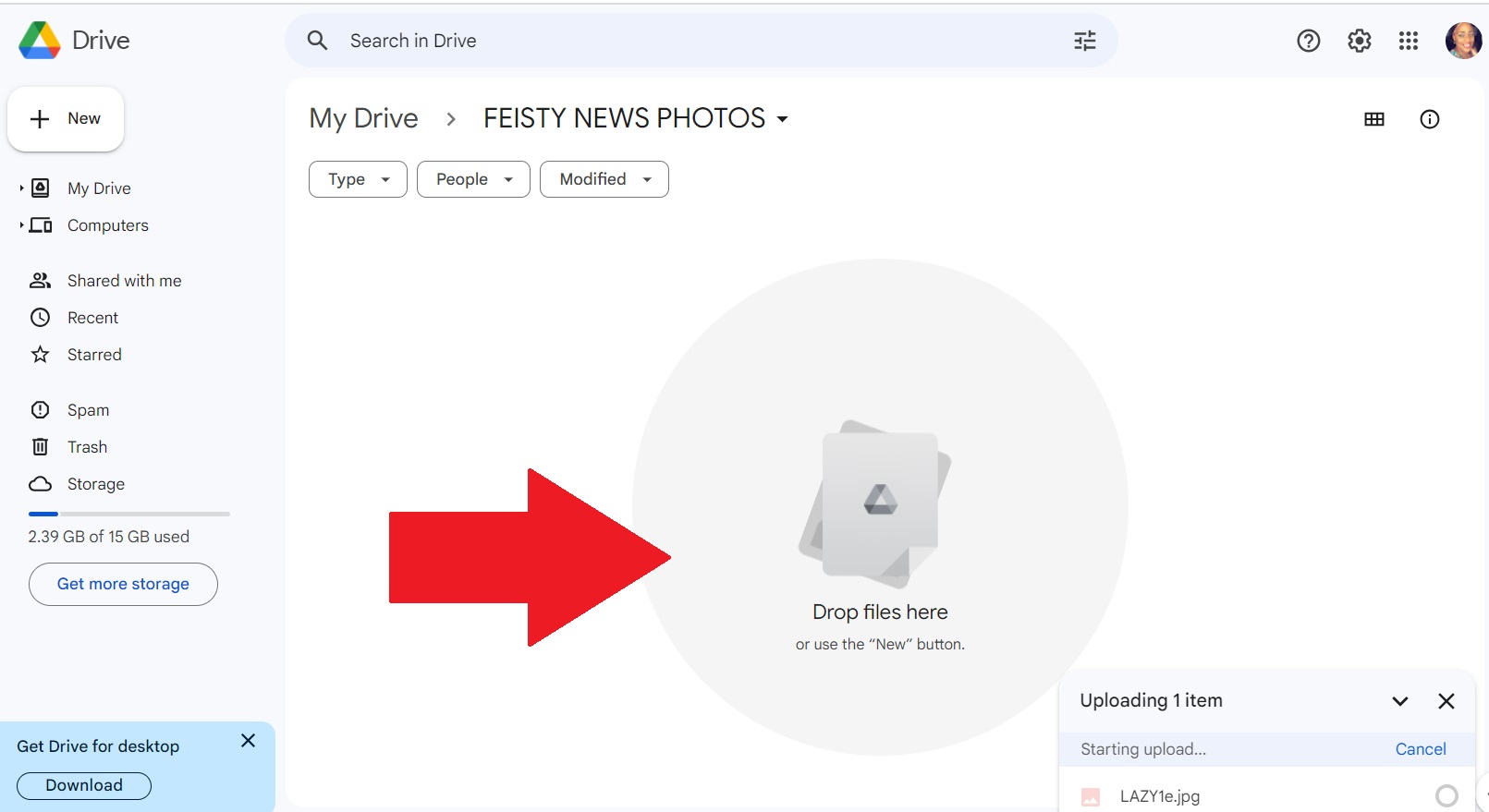
Step 3 – Drag and Drop or upload all photos and videos to this folder.
Step 4 – Select Share to change permissions
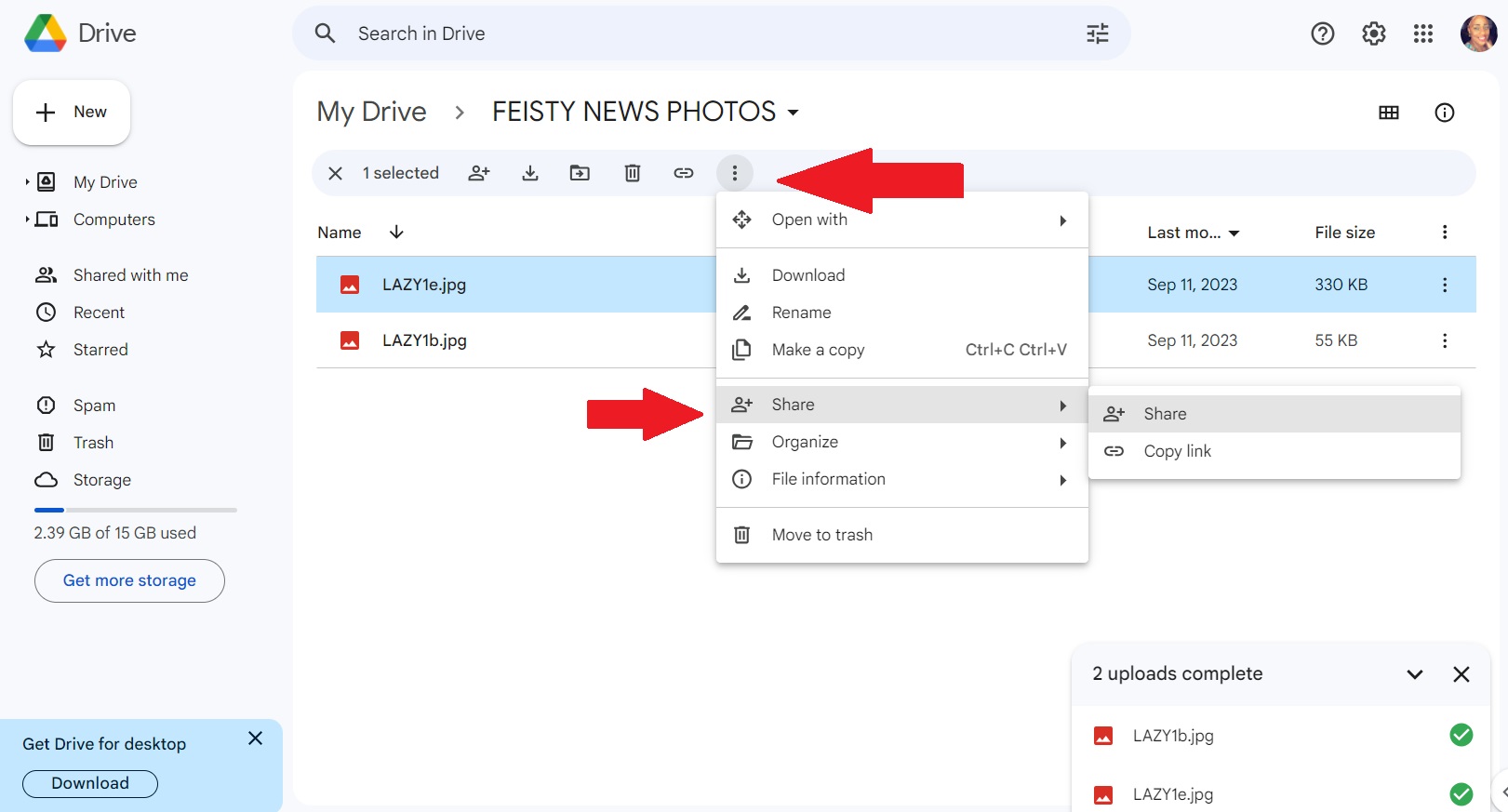
Step 5 – Select anyone with the link can view
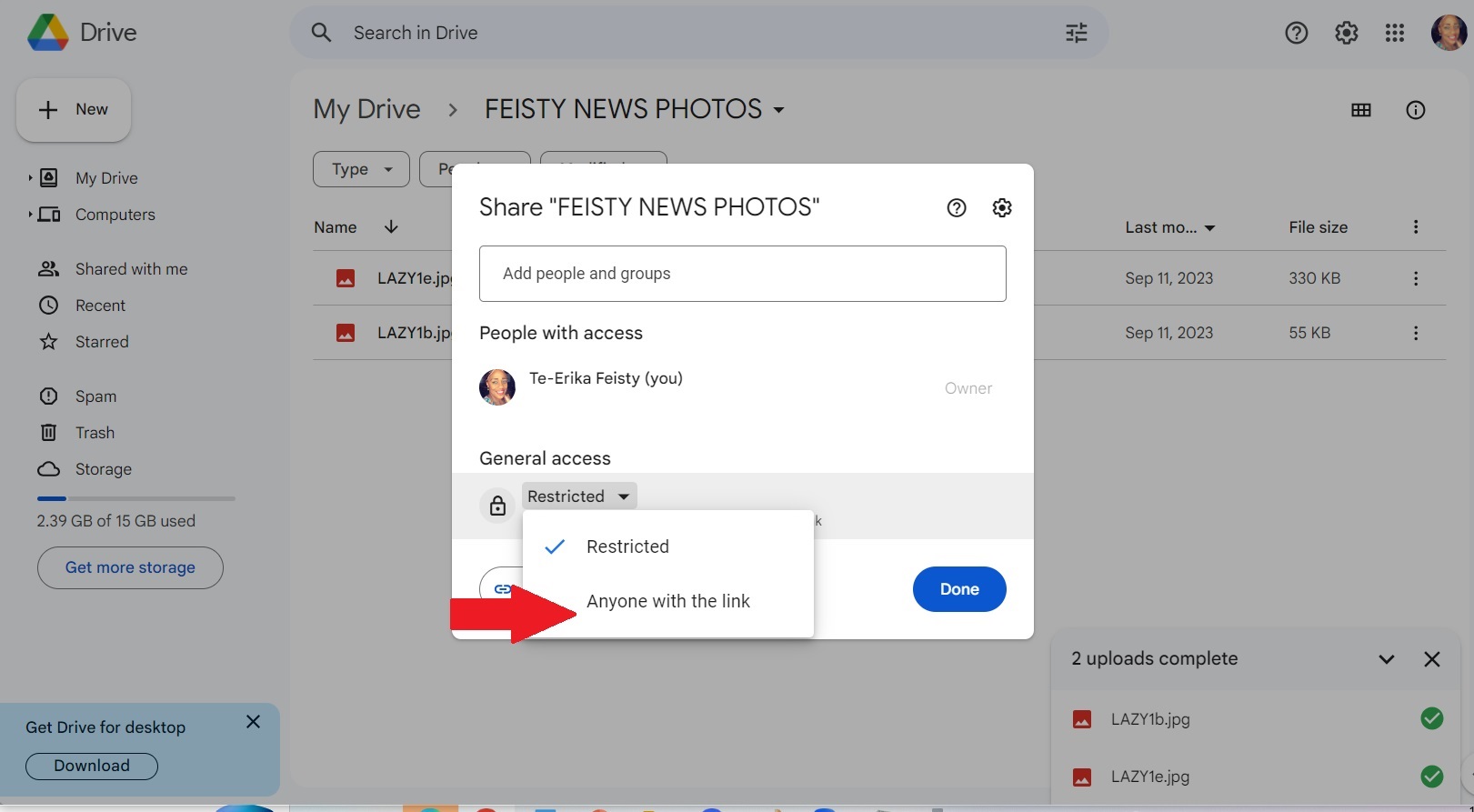
Step 6 – Copy the link and send this link in an email to THE FEISTY NEWS as a reply to the email you were given.